Inquiry question
How can gamification strategies improve student engagement and confidence in text-based programming (Python) among a mixed-ability Year 8 Digital Technologies class?
Informing data
The plan was informed by a range of data and contextual knowledge about my learners:
Prior teaching knowledge: Having taught this entire cohort in the mandatory Year 7 Digital Technologies course the previous year, I had well-developed insight into each student's strengths, needs and dispositions before the unit began.
Learner profiles and support documentation: Personalised Learning Plans (PLPs) for two students, and information on students with additional learning needs (including a student diagnosed with ADHD), informed the adjustments and modifications built into the plan. Liaison with the Learning Diversity team provided further detail on individual needs.
Identification of extension needs: Approximately six students were identified as consistently working ahead of the expected level and requiring extension.
Observed disposition data: Repeated informal observation of student apprehension toward programming — expressed both in class and around the school — highlighted low confidence and engagement as key barriers, particularly around the transition from block-based to text-based coding and students' negative reactions to syntax errors.
Professional learning
To support the Inquiry, I undertook professional learning including: observing my mentor model the explicit introduction of unfamiliar software (informing my modelling approach); professional conversations with colleagues on gamifying the programming unit and on authentically assessing programming in an AI-rich environment; and engagement with the CS in Schools program and its curriculum-aligned approach to teaching programming. I also drew on research and pedagogy around gamification, explicit instruction, retrieval practice and building learner independence.
As part of the professional learning undertaken to support my Inquiry, I had the privilege of attending a Gifted Education Workshop organised by Ivanhoe Grammar School on 20 March 2026. While the workshop covered a wide range of strategies for teaching gifted and high-potential students, a recurring and influential theme was the importance of giving students ownership of their own learning, with the teacher acting as a moderator and facilitator rather than a director. The workshop explored the use of prompting guides as a means of encouraging students to independently explore and extend their skills, including the purposeful use of tools such as artificial intelligence to support this exploration.
This learning directly shaped how I approached extension within my Inquiry. It reinforced and refined my strategy of extending high-achieving students (such as Student A) through targeted, individual prompting at the point of application — challenging them to enrich and complicate their own game rather than simply providing separate, harder tasks. In this way, the workshop helped me frame extension as a process of guided independence, empowering my strongest students to take ownership of their learning and pursue greater challenge on their own initiative.
Purpose of the Inquiry
Knowledge and skills I am trying to address:
The purpose of the Inquiry is twofold. First, to develop students' core programming knowledge and skills in Python — including output statements, input, variables, selection (conditionals, including nested conditions) and iteration — and their ability to combine these to build a working program. Second, and central to the Inquiry, to improve students' engagement and confidence with text-based programming, shifting their disposition from apprehension toward a positive, resilient, "have-a-go" mindset, so that they persist through the challenges inherent in learning to code.
Success criteria
Learning outcomes I want the learners to achieve:
- Students demonstrate understanding and correct application of core Python concepts (output, input, variables, conditionals, iteration) within their own game.
- Students engage consistently and positively with programming tasks, persisting through errors and setbacks.
- Higher-achieving students independently extend their work, showing curiosity and initiative.
- Students requiring additional support, including those on modified programs, access the unit and complete their tasks with a positive attitude and genuine sense of achievement.
- Across the class, students approach Python programming with visibly greater confidence than at the unit's outset.
Inclusive practice
Aboriginal and Torres Strait Islander learners
While there are no Aboriginal or Torres Strait Islander students in this particular class, my program is designed to be responsive to Aboriginal and Torres Strait Islander learners and to build all students' understanding of and respect for Aboriginal and Torres Strait Islander histories and cultures. Within the gamified programming unit, I do this primarily through the creative context of the games students design. As students build their own text-based games, I offer culturally-themed options among the narrative and design choices available to them — inviting students to draw on Aboriginal and Torres Strait Islander stories, settings, characters or design motifs where they choose, approached respectfully and with acknowledgement of their source. This allows cultural understanding to be engaged authentically through students' own work rather than as a superficial add-on, and ensures that, should an Aboriginal or Torres Strait Islander learner join the class, the program provides a natural and affirming space for their perspectives to be represented. This is supported by a broader classroom culture of respect, including acknowledgement of the Traditional Owners of the land, consistent with the College's own practice.
Learners who need extension
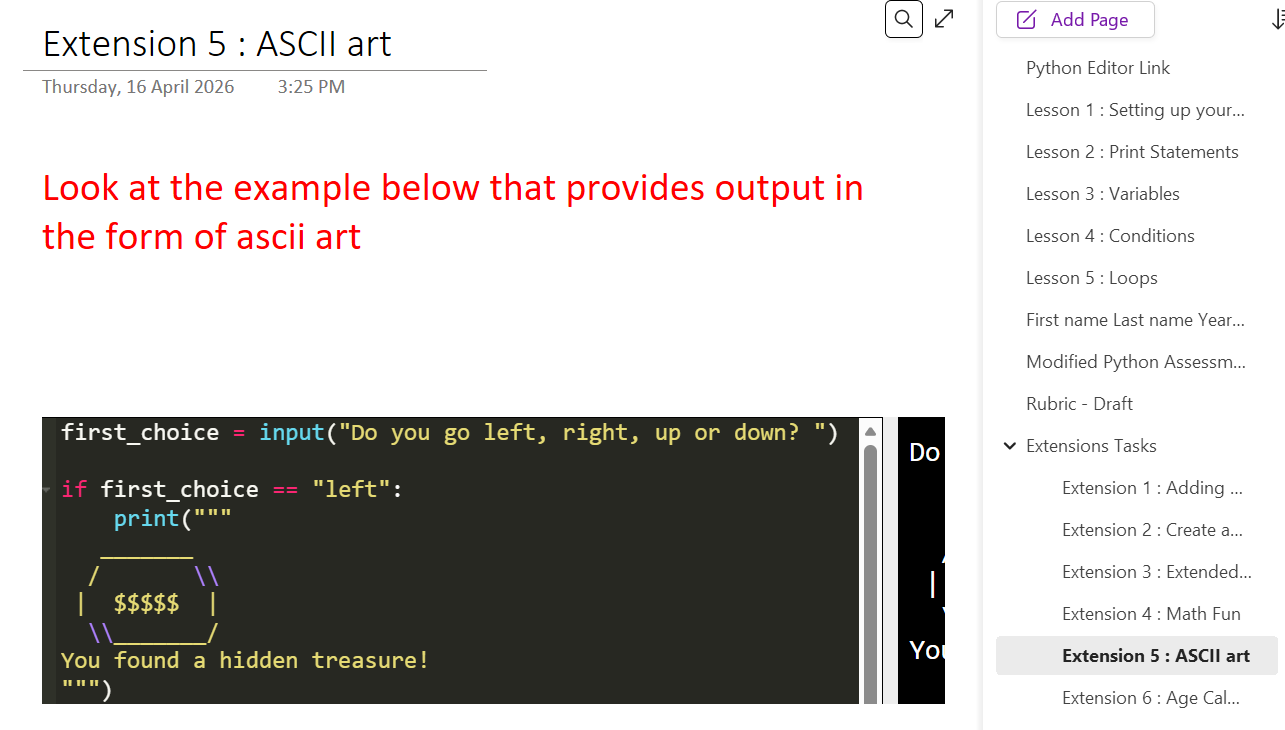
The structure of the unit was deliberately designed to allow extension to occur organically on an individual basis, rather than by simply directing capable students to "go and learn" a separate task alone. Each concept was first modelled explicitly — for example, demonstrating how an input statement or a conditional works and showing how it could be embedded into a game — and students then applied that concept to their own chosen theme and scenario. This structure allowed me to extend high-achieving students such as Student A through targeted, individual prompting at the point of application. For instance, when working on conditionals, I would challenge them to write a nested condition, to offer the player four branching options, or to add colour, dramatic or animated text, a designed banner in place of a simple title, or other interactive features. Because extension was built into the same task everyone was working on, my strongest students were continually challenged to make their games more sophisticated, while remaining part of the shared class activity.
Learners with disability
For students with disability, including Student C (diagnosed with ADHD), I used a range of adjustments to support participation and learning. I chunked tasks into manageable steps, scaffolded the work, and used explicit instruction and live modelling to demonstrate each programming concept before students applied it. A Learning Diversity Officer (LDO) is regularly present in the room; we touch base at the start and end of each lesson so that the LDO is aware of the point each student needs to reach, ensuring continuity of support. Given that this is an elective seen only three times per cycle — often with interruptions that reduce contact time — I also build in short, competitive mini-quizzes as a formative tool to help students refresh and consolidate prior concepts. This retrieval practice is particularly valuable for students with additional needs, helping to close the gap between lessons and re-anchor their memory of concepts so they can resume with minimal loss of momentum.
Learners who need additional support to access the learning
For learners requiring additional support to access the curriculum, including Student D (supported by a Personalised Learning Plan and high needs), the work — including assessment — is significantly modified so that he can engage with the unit at an appropriate level and experience genuine success. This is supported by one-on-one attention from members of the College's Learning Diversity team, heavily scaffolded and explicit step-by-step instruction, and the same continuity practices described above (LDO liaison at the start and end of lessons). Notably, the competitive formative mini-quizzes proved especially effective for these learners: Student D consistently engages with them because of their game-like, competitive nature, and in doing so reinforces and retains key concepts. This illustrates how the gamified, engagement-focused approach of my Inquiry itself functioned as an inclusive strategy — drawing in learners who might otherwise disengage, and supporting access and retention across the full range of needs.
Resources
What I used to teach the Inquiry:
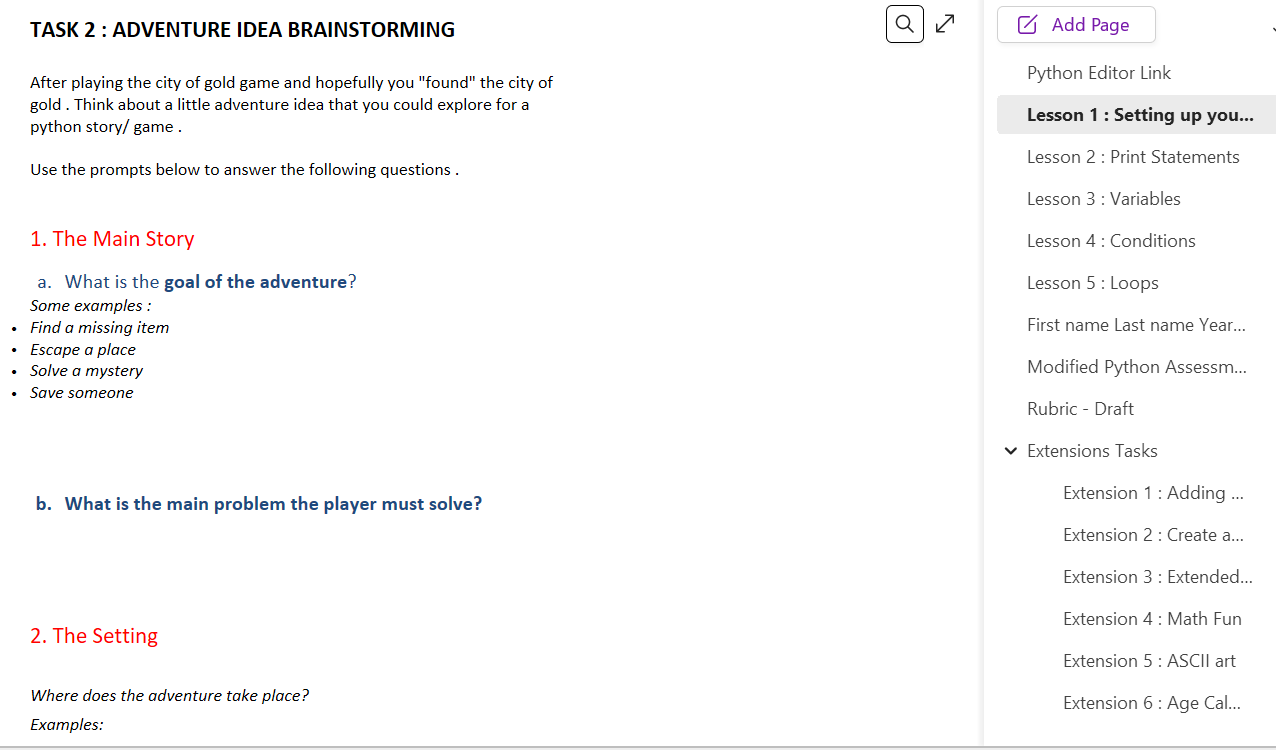
The central organising resource for the unit is Microsoft OneNote, in which I have built a structured lesson template that students log into and work through. The OneNote activities follow a guided, explicit-teaching approach: students move through the lesson activities in sequence, with each concept broken down step by step. Because students have used OneNote since Year 7, it is a familiar environment that helps them organise their work neatly, and it allows me, as the teacher, to view and monitor each student's work in real time to ensure everyone is on track and to identify who needs support.
For the coding environment itself, students use the CS in Schools editor — a deliberately simple, browser-based interface. I chose this over more complex professional environments such as Visual Studio Code because a clean, easy-to-navigate interface reduces the intimidation factor for junior students and lets them focus on programming concepts rather than on managing a complicated tool. CS in Schools also provides a supported, curriculum-aligned pathway for teaching programming, and students follow the guided activities in OneNote alongside writing and running their code in the CS in Schools editor.
Worked examples are embedded throughout the OneNote and are central to my modelling approach. I use either the provided OneNote examples or examples I create myself, and I demonstrate these to the class using Vivi (our screen-projection software), so that students see a fully worked example before attempting the code independently.
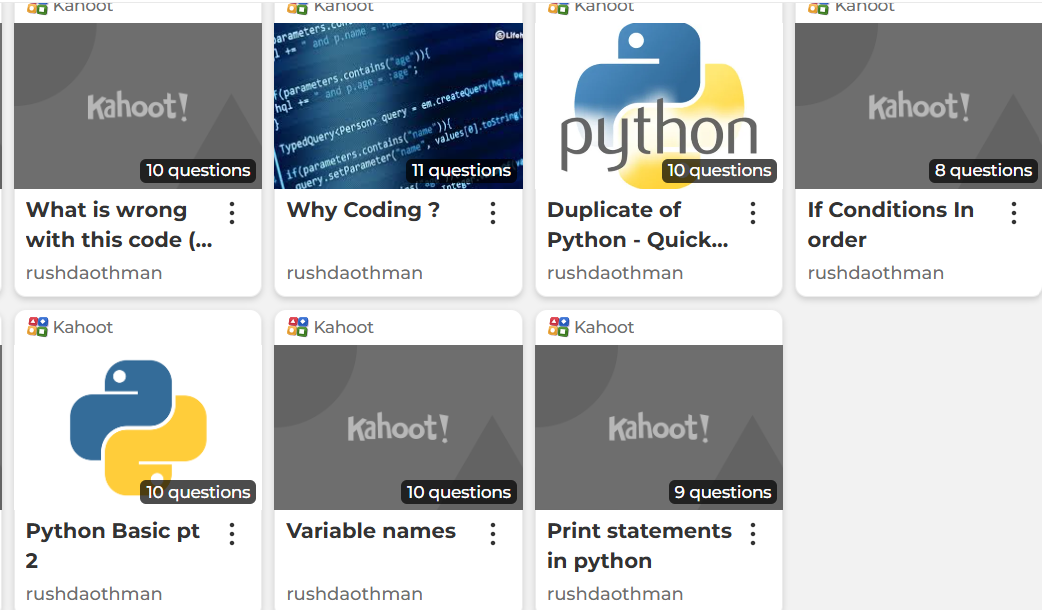
To support engagement and retrieval, I use interactive quiz platforms — primarily Kahoot and Blooket — as formative, game-based tools to consolidate and refresh learning. Blooket in particular offers a faster-paced, game-like format that works well as a purposeful break during cognitively demanding coding lessons. Recognising that coding can be intensive — especially for students with additional needs who benefit from rest breaks — I use these tools strategically to chunk the lesson: for example, pausing a demanding session partway through for a fifteen-minute Blooket or Kahoot, allowing students to reset, move and stretch before returning to code. Additional resources include student laptops, the Vivi projection system for live modelling, and the in-class support of a Learning Diversity Officer.
Strategies
What I did to deliver the content and skills:
My teaching followed an explicit, gradual-release model designed to move students from guided instruction to independent creation. Each lesson typically began with live modelling using the "monkey see, monkey do" approach: I would demonstrate a concept via Vivi — often with laptops closed first so students could watch the whole process — before students worked through the corresponding guided activities in OneNote. These activities, supported by worked examples and code screenshots, usually occupied the first twenty to thirty minutes of the lesson and gave every student a solid, scaffolded foundation in the concept being taught.
Crucially, the code screenshots and worked examples students saved in their OneNote then became a personal reference guide for the creative phase of the lesson, in which students applied the concept to their own game. This established OneNote as students' first "source of thought" when they became stuck — for example, on a conditional — rather than immediately waiting for me to intervene and correct their code. This shift was central to building independence.
To manage a mixed-ability class within an 80-minute session, I combined several strategies:
- Circulating and one-on-one check-ins: Supported by the Learning Diversity Officer, I moved around the room and played students' games at various checkpoints, using these moments to help debug code, give feedback and prompt next steps individually.
- Individual extension through prompting: When a capable student had a working feature, I would prompt them to enrich it — for example, if a student used a conditional requiring the player to enter a password to progress, I might suggest they weave a hint to that password into their game's story, deepening both the coding and the narrative. In this way students became owners of their own learning and were extended at their exact point of readiness.
- "Ask three before me" (Python buddies): I established a routine where students experiencing an error first sought help from a peer before coming to me. This peer-debugging strategy reduced bottlenecks, developed students' collaborative problem-solving, and freed me to support as many students as possible within the session — particularly valuable in coding, where a single debugging issue can otherwise consume disproportionate teacher time.
- Chunking and retrieval: I used Kahoot and Blooket strategically to break up cognitively demanding sessions, provide brain breaks, and consolidate prior learning through game-based retrieval practice.
Activities
What the learners were doing during the Inquiry:
Students spent the first part of each lesson working through the guided OneNote activities, building foundational understanding of each new Python concept (progressing across the unit from output/print statements, to input, to conditionals, to loops) with the support of worked examples. They then moved into the creative core of the unit: designing and progressively building their own text-based adventure game, applying each newly learned concept directly into their evolving game.
As they built, students used their own OneNote work as a reference, attempted to debug their own code, and consulted a peer ("Python buddy") before seeking teacher help. Higher-achieving students extended their games with additional features and more sophisticated logic (branching choices, colour, dramatic text, banners, integrated story-and-code elements such as password hints woven into the narrative). Throughout the unit, students also participated in competitive Kahoot and Blooket quizzes to consolidate and retrieve key concepts. The unit culminated in each student completing their own working text-based game, submitted as the summative product of the Inquiry.
Supporting literacy and numeracy
Literacy is explicitly developed throughout the programming unit. Students are introduced to a substantial body of new technical vocabulary — including terms such as variable, input, string, integer, conditional and loop — and I take care to explain and model each term clearly, reinforcing this understanding through scaffolded worked examples in both lessons and assessment. A key literacy link is the way students begin their game creation: before coding, they complete an activity in which they map out and write their adventure — planning their narrative, choices and outcomes in prose. This deliberately connects with the Year 8 English curriculum's focus on creative writing, requiring students to construct a coherent, sequenced narrative that then directly informs their coding sequence. In this way, students engage in authentic writing and planning as an integral part of the programming process.
Numeracy is embedded through the logical and mathematical thinking that underpins programming. Students apply logical sequencing to structure their code correctly, work with numerical data types such as integers, and use conditional logic (if/then reasoning) and iteration to control the flow of their games. Where their adventures allow, students also embed simple calculations into their code — for example, tracking scores, prizes or progress — applying numeracy skills in a meaningful, applied context. In this way, both literacy and numeracy are developed not as add-ons but as natural and necessary components of learning to program.
Assessment
Assessment conducted during the Inquiry, allowing a range of opportunities for learners to demonstrate their knowledge:
Formative assessment
Formative assessment was continuous throughout the unit and directly informed my teaching. It included:
- Live monitoring of student progress in OneNote, allowing me to check each student's work in real time, identify who was on track, and target support where needed.
- One-on-one game check-ins, where I (with the support of the Learning Diversity Officer) played students' games at various checkpoints, using these moments to debug code, provide immediate feedback, and prompt next steps or extension.
- Game-based retrieval quizzes using Kahoot and Blooket, which served both as engagement/brain-break tools and as low-stakes checks of students' recall and understanding of key concepts (variables, input, conditionals, loops) between lessons.
- Observation of students' peer-debugging ("ask three before me"), which gave insight into their growing independence and problem-solving.
Summative assessment
The summative task is a practical programming assessment, "The Great Salesian Scavenger Hunt," in which students build a working Python adventure game where the player explores the school to find a hidden prize. The task is marked out of 60 marks and is completed under supervised, controlled conditions consistent with the assessment-integrity approach developed with my mentor: students may access only OneNote and the Python coding window, are not permitted to use any other websites or resources, and complete the task within a single supervised session to authenticate their work.
The task is scaffolded as a series of staged questions that build a complete game, allowing students across the ability range to demonstrate their learning progressively. It assesses:
- Core programming knowledge — a multiple-choice section (5 marks) checking conceptual understanding of variables, input, data types and output.
- Applied coding skills — writing print statements, input statements that store and use data, and error identification/debugging.
- Conditional logic — increasingly complex tasks, including nested if-conditions and student-designed branching choices, reflecting the game-building focus of the unit.
- Independent creation — an open question requiring students to design their own locations and outcomes, providing a natural avenue for extension.
In addition, marks are allocated for overall code accuracy, correct use of variables/inputs/print statements, accuracy of conditional statements and logic, completion of class tasks, and the attempting or completion of extension tasks (5 marks each). This structure ensures the assessment rewards both foundational proficiency and the extension work central to catering for higher-achieving learners, while the staged, scaffolded design allows students requiring additional support — including those on modified programs — to access the task and demonstrate genuine achievement.
Marking and feedback — assessment rubric
The summative task is marked against a detailed analytic rubric aligned to each question and to the overarching skill criteria. The rubric bands student performance across each element of the task — from the multiple-choice knowledge check, through the applied print, input and variable tasks, to the increasingly complex conditional and nested-if questions and the open, student-designed adventure — with the more complex questions (such as the nested-if adventure and the student-created third choice) scored across up to six performance levels. Additional criteria assess code accuracy and syntax, correct use of variables/input/print statements, conditional logic, completion of class tasks, and extension activities, each across five performance levels.
This criterion-referenced structure serves several purposes central to my Inquiry. It allows students at every ability level to demonstrate achievement and see a clear pathway to improvement; it explicitly rewards the extension work undertaken by higher-achieving learners; and it makes expectations transparent, supporting the confidence-building aim of the Inquiry by showing students precisely what success looks like at each step. The rubric also provides a consistent, reliable basis for feedback and for reporting on student achievement. The full rubric is included in the appendix.
Reflections
Prompts to guide reflection:
- Did students' engagement and confidence with programming visibly improve over the unit? What evidence shows this?
- Did the gamified, game-building framework support learning across the full ability range?
- Which strategies (modelling, OneNote as reference, "ask three before me," retrieval quizzes, individual prompting) had the greatest impact, and why?
- How effectively did the approach cater for my focus learners (A, B, C and D)?
- Did assessment results indicate that students achieved the intended learning outcomes?
- What would I refine if I taught this unit again, and how will I share what I have learned with colleagues?